Table of Contents
- Quick Answer: Assam Rural Housing List PDF
- What Is the Assam Rural Housing Beneficiary List?
- How to Check Assam Tate Housing Rural List PDF Online
- Where Can You Download the Official Housing List?
- How to Find Your Name in the Rural Housing List
- What If Your Name Is Missing From the Assam Housing List?
- Common Problems While Checking or Downloading the PDF
- Important Things to Know Before Trusting a Housing List
- Frequently Asked Questions (FAQs)
If you’re searching for the Assam Tate Housing Rural List PDF, you probably want to check whether your name appears on the rural housing beneficiary list in Assam. The first step is to identify the correct housing scheme and use its official beneficiary records. The term “Tate Housing” isn’t a scheme name I could verify, so this guide focuses on the relevant rural housing programme, Pradhan Mantri Awaas Yojana–Gramin (PMAY-G).
You’ll learn how to check the list, find your details, download or print available records, and contact your local office if your name is missing.
Quick Answer: Assam Rural Housing List PDF
For rural housing beneficiary information in Assam, start with the official Assam PNRD PMAY-G page and the official PMAY-G reporting system. Select the relevant report, state, district, block and village or Gram Panchayat where those filters are available.
A single, current PDF containing every beneficiary may not be available for direct download. The available reports and download options can change, so verify the latest records on the official portal.
What Is the Assam Rural Housing Beneficiary List?
The rural housing beneficiary list contains information about households identified or approved for housing assistance under a relevant government programme. For many rural households, the programme to check is Pradhan Mantri Awaas Yojana–Gramin (PMAY-G).
PMAY-G is a Government of India programme implemented with state and local authorities. It supports eligible rural households that need better housing, subject to the scheme’s rules, identification process and official approval.
In Assam, the Panchayat and Rural Development Department provides information about the programme. Official online records can include beneficiary details, house sanctions, construction progress and other reports.
Before downloading a file, check these details:
- Scheme name: Confirm that the record relates to PMAY-G or the specific housing scheme you’re looking for.
- Financial year: Check whether the report covers the year you need.
- Location: Make sure the district, development block and village or Gram Panchayat are correct.
- Record status: Understand whether the entry refers to an identified household, an approved house or a completed house.
These categories are not always the same. A household appearing in one report doesn’t automatically mean that every approval or payment requirement has been completed.
How to Check Assam Tate Housing Rural List PDF Online
If you mean the Assam state rural housing beneficiary list, follow these steps to look for the relevant official PMAY-G record.
Step 1: Open the official Assam housing information page
Visit the Assam PNRD PMAY-G page. It provides information about the rural housing programme and links to relevant online systems and reports when available.
If the page doesn’t open or a link has changed, visit the official Panchayat and Rural Development Department website and search for PMAY-G.
Step 2: Find the beneficiary report
Look for the official PMAY-G reporting system, commonly associated with AwaasSoft and the programme’s reports. Menu labels may change as the portal is updated.
Choose a beneficiary, sanction or progress report that matches what you need. Don’t assume that every report is a final approved beneficiary list.
Step 3: Select your location
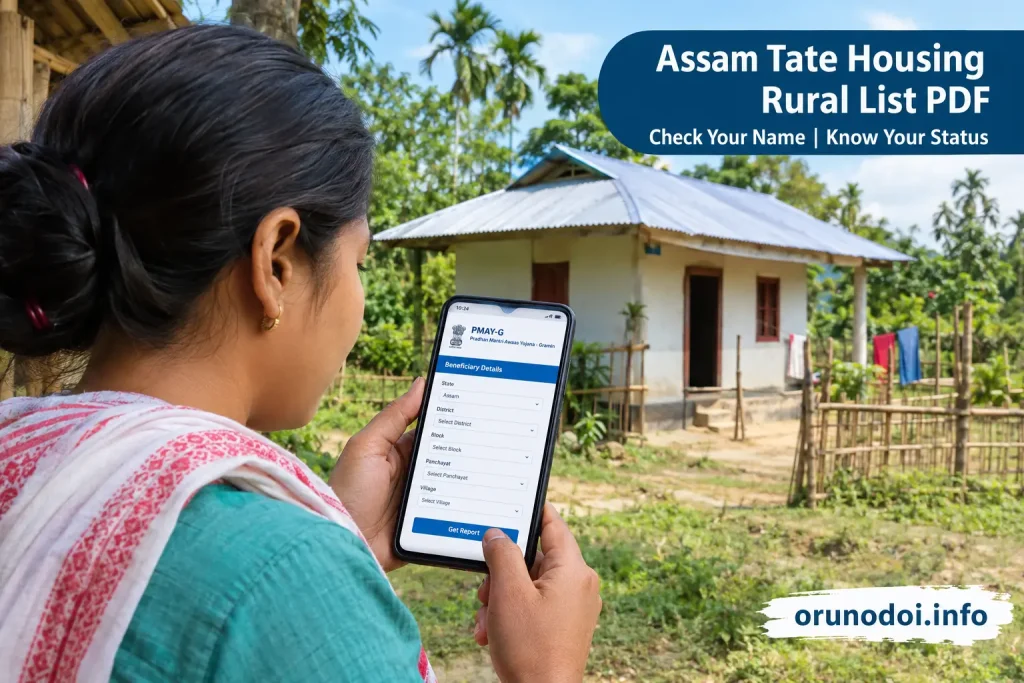
Where the report offers location filters, select Assam and then choose the requested district, block and Gram Panchayat or village. Some reports may ask for a financial year or other details.
For example, if your household is in Dhemaji district, choose Dhemaji and the correct local administrative area rather than opening a list for another district.
Step 4: Search the displayed records
Check the available entries carefully. Depending on the report, you may see a beneficiary name, registration or PMAY ID, sanction details or house-construction status.
If the portal asks for an identifier, enter it exactly as shown in your official documents. Don’t share an OTP, password or bank PIN with anyone offering to check the list for you.
Step 5: Download or print the report
If the official page provides a PDF download, select it and save the file to your phone or computer. If there’s no PDF button, check whether the report offers a print option or another official download format.
On a mobile phone, open the downloaded file from your browser’s Downloads section. If a report is available only as a webpage, use the browser’s print option and select “Save as PDF” if supported.
Always keep the original report’s title, date and scheme details with the file. That helps you avoid confusing an older report with a newer one.
Where Can You Download the Official Housing List?
Use official government sources rather than random PDF-sharing websites. These are useful starting points for checking Assam rural housing records.
| Official source | What you can check | Best use |
|---|---|---|
| Assam PNRD | State department information and rural development scheme links | Finding the Assam-specific programme information |
| PMAY-G reporting portal | Rural housing reports, where currently available | Looking for beneficiary and progress reports |
| PMAY-G official website | Programme information and official links | Checking scheme information and portal updates |
Online pages and report links can change. If a link doesn’t work, return to the department’s homepage and use its current navigation. Do not enter personal information on a website simply because it claims to provide a housing-list PDF.
How to Find Your Name in the Rural Housing List
Once you’ve opened the correct report, use the following checks to find your household.
- Confirm your location. Make sure the record is for your own district, block and village or Gram Panchayat.
- Check the spelling of your name. Names may be written differently in English or Assamese, so look for possible spelling variations.
- Look for your PMAY ID. If you have an official registration or beneficiary ID, use it to distinguish your record from people with similar names.
- Check the status field. Read the report carefully to see whether your entry is identified, sanctioned or marked as completed.
- Keep a copy of the record. Save the PDF or note the report details for future reference.
For example, two people in the same village may have similar names. Checking the location and beneficiary ID can help you avoid treating someone else’s record as your own.
If your name doesn’t appear in the first report, don’t immediately conclude that you’ve been rejected. You may have opened the wrong financial year, location or report type. Try the correct filters before contacting your local office.
What If Your Name Is Missing From the Assam Housing List?
Not finding your name can be worrying, especially if you believe your household was surveyed for housing assistance. There are several possible reasons, and the online list alone may not explain which one applies to you.
- Your details may appear in a different report or financial year.
- Your name, village or other household information may have been entered differently.
- Your household’s identification or verification may still be pending.
- Your household may not appear in the particular list you opened.
- The portal may be temporarily unavailable or displaying incomplete information.
Where should you ask for help?
Start with your Gaon Panchayat office or the relevant local rural development office. You can also contact the Block Development Officer (BDO) or the district-level PMAY-G authority for guidance.
Carry or keep available any relevant documents, such as:
- Your identity and address documents, as requested by the office.
- Any housing survey receipt, application reference or PMAY ID you already have.
- A screenshot or printout of the report you checked.
- Details of the village, Gram Panchayat and block where your household lives.
Ask the official to verify your record and explain the next step. Don’t pay an unofficial agent who promises to add your name or guarantee housing assistance.
Common Problems While Checking or Downloading the PDF
You may face technical problems even when you’re using the correct government website. Try these practical fixes before assuming the list is unavailable.
| Problem | What you can try |
|---|---|
| Website is slow | Wait a little, refresh the page or try again outside busy hours. |
| PDF won’t download | Check your internet connection, available storage and browser download permissions. |
| Name isn’t showing | Recheck the location, financial year and report type before contacting the local office. |
| Report opens as a webpage | Look for a download or print option. If supported, use your browser’s “Save as PDF” feature. |
| Old or broken link | Return to the official Assam PNRD or PMAY-G homepage and find the latest link. |
Mobile tip: If a government report is difficult to read on your phone, rotate the screen to landscape mode or open the file in a PDF reader. Avoid third-party apps that ask for unnecessary permissions just to view a document.
Important Things to Know Before Trusting a Housing List
A PDF can help you check published information, but it isn’t always proof that a house has been finally sanctioned or that money has been released. Read the report heading, reporting date and status columns before drawing a conclusion.
- Use the latest available official record relevant to your scheme and location.
- Don’t assume that a list from an earlier year is the current list.
- Don’t treat inclusion in a survey or preliminary list as a guarantee of assistance.
- Don’t pay anyone for a PDF that is available through an official government source.
- Never share your OTP, banking password or PIN to check a beneficiary list.
If you’re looking for a different Assam housing programme rather than PMAY-G, confirm the exact scheme name first. A tea garden workers’ housing initiative or an urban housing scheme may use a different department, eligibility process and beneficiary list.
Frequently Asked Questions (FAQs)
How can I download the Assam Tate Housing Rural List PDF?
First, confirm the exact scheme name. For rural housing, visit the official Assam PNRD or PMAY-G website and look for the relevant beneficiary report. Download the PDF if an official download option is available.
Is the Assam rural housing beneficiary list available online?
Official PMAY-G reporting systems provide rural housing reports and beneficiary information where available. The report type, filters and download options may change, so check the current official portal.
How can I check my name in the Assam PMAY-G list?
Open the official PMAY-G reporting system, select the required location and report filters, and search the displayed records. Check your name and beneficiary ID where available.
What should I do if my name is missing from the housing list?
Check the correct district, block, village, financial year and report type first. If your name is still missing, contact your Gaon Panchayat office, BDO or relevant district housing authority for verification.
Can I check the Assam rural housing list on my mobile?
Yes. You can open official housing portals in your mobile browser. If a PDF is available, download it and open it from your phone’s Downloads folder or a trusted PDF reader.
Does appearing in the housing list guarantee financial assistance?
No. The meaning of an entry depends on the report and its status fields. Final assistance depends on the applicable scheme rules and official verification and approval.
Is there a separate Assam state housing list for every district?
Reports may be organised by district and other local administrative areas. Use the official filters to find the record for your location, and confirm whether the report covers your specific housing scheme.
Where can I complain if my housing details are incorrect?
Contact your Gaon Panchayat office or the relevant Block Development Officer and ask how to request verification or correction. Keep your reference number and supporting documents ready.
Disclaimer: orunodoi.info is an independent information website and is not affiliated with the Government of Assam or any government department. Please use the official portal for applying and for official services.